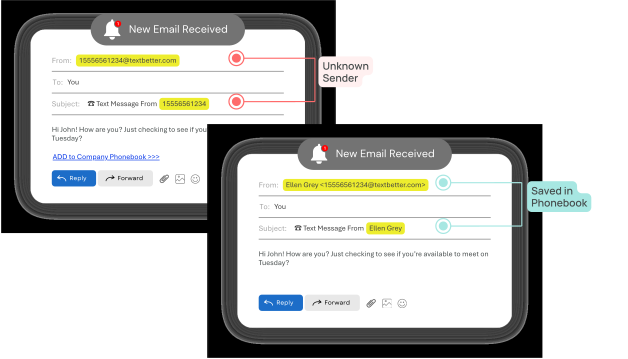
How do I receive texts via email?
When someone replies to your text (or sends you a new text), we convert that SMS into an email and deliver it directly to your inbox. This allows you to manage your text conversations right from your email!
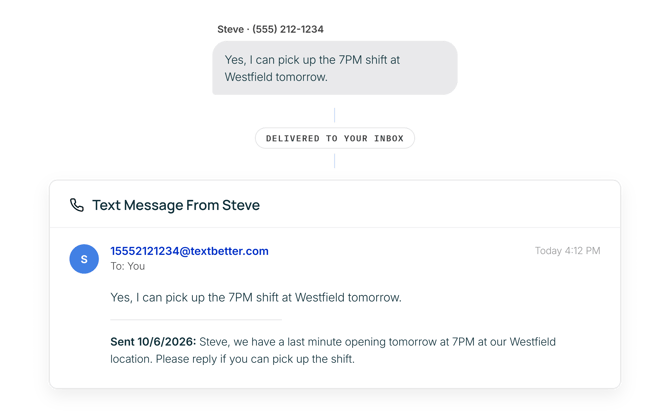
How do I reply to a text from my email?
To reply, simply hit Reply to the email you received, type your message, and send it. We’ll convert your email response into a text message and deliver it to the recipient’s phone — easy as that!